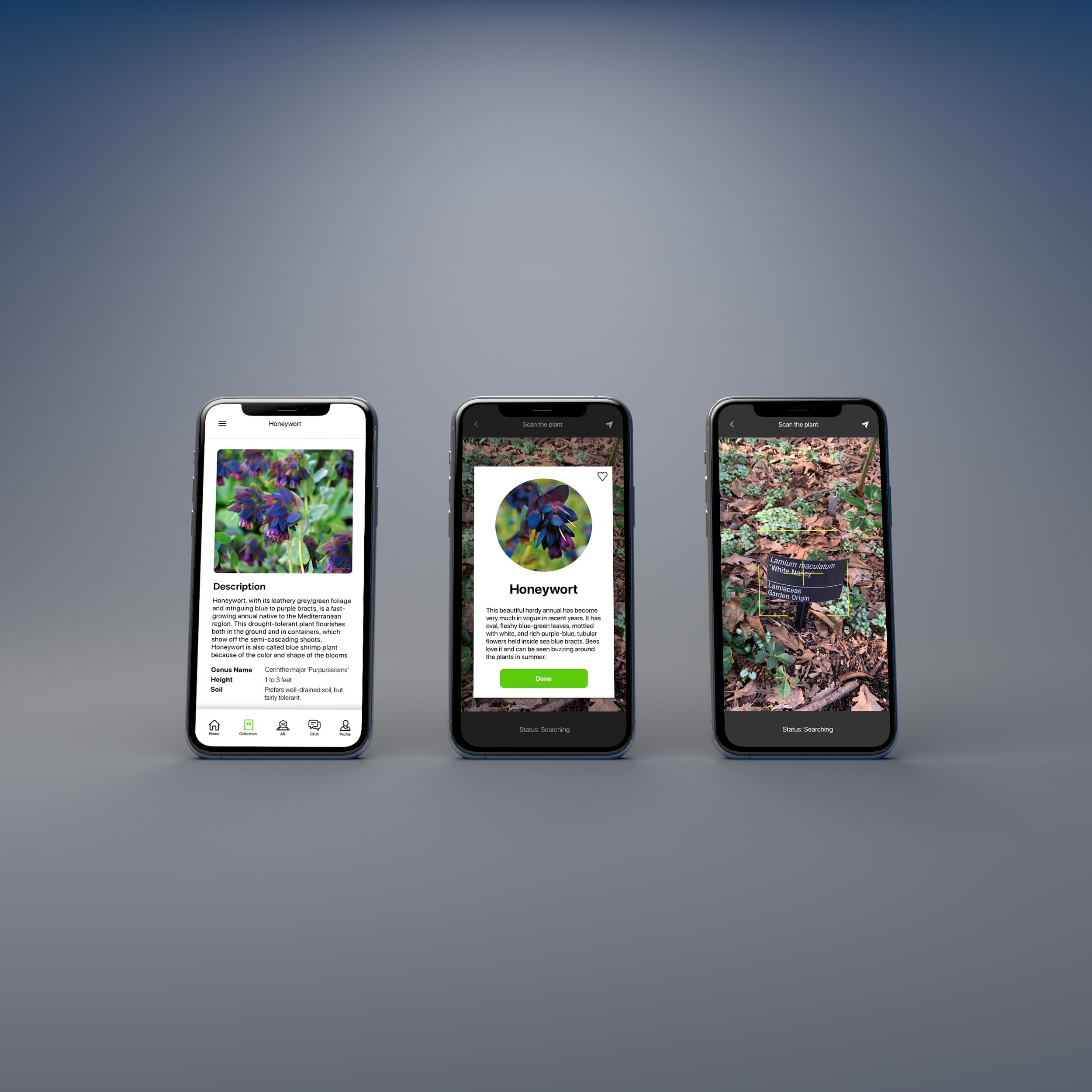
Mobile app with AR plant recognition
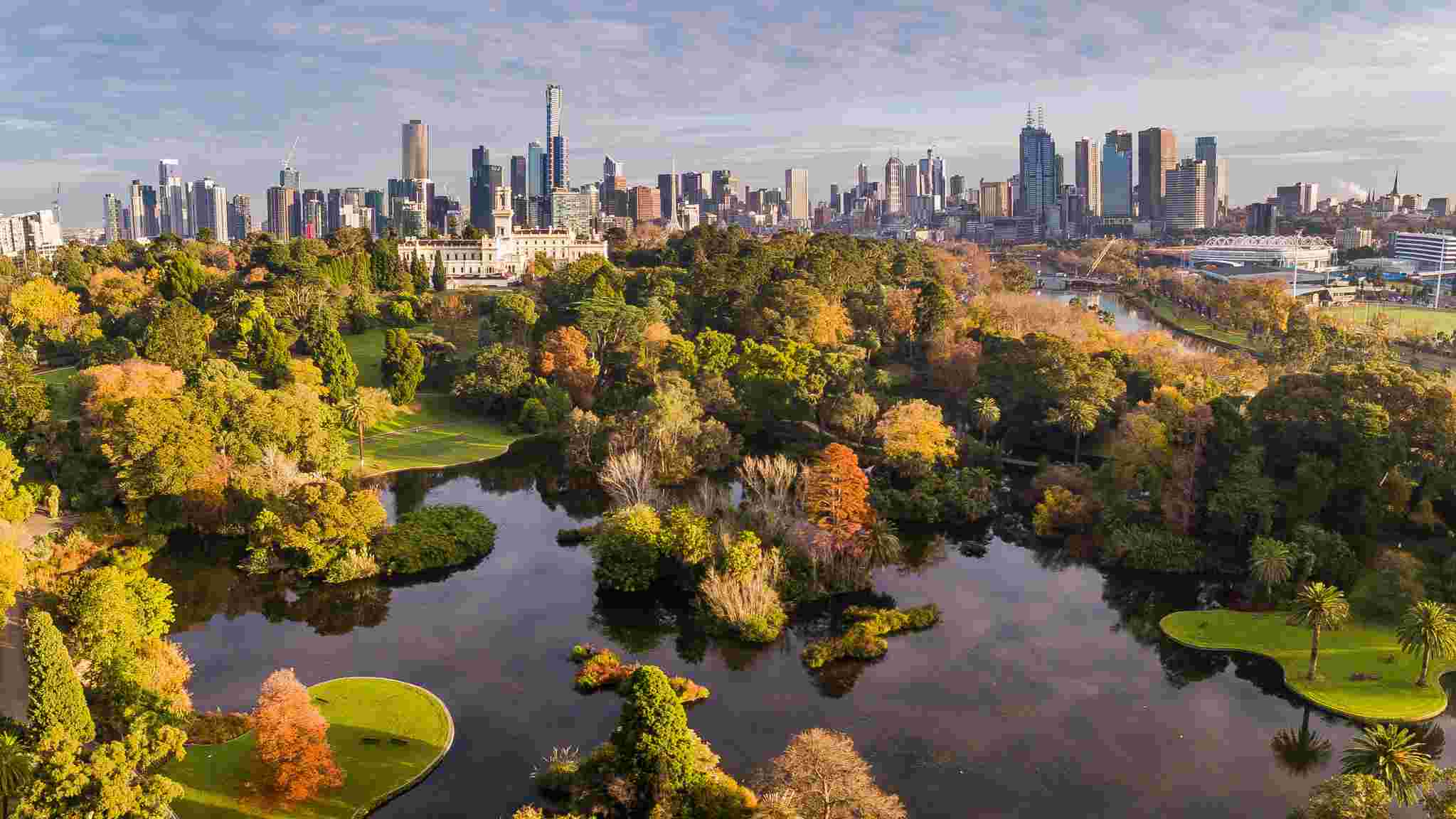
Royal Botanic Gardens Victoria
Whether you're a plant lover or out with your family at the Royal Botanic Gardens, the app helps you learn about plants and enjoy events across Melbourne.
- Role
- Design & development
- Year
- 2019
- Research
- Interviews, survey of 8 visitors
- Design
- Sketch, Miro
- Prototype
- App screens, AR in Unity3D
- Place
- Royal Botanic Gardens, Melbourne
01
Overview
Meet with plant lovers and learn effectively!
The app is designed for people who are plant lovers and interested in learning a variety of plants. At the beginning, a group of my teammates do survey and interview with people in the royal botanic garden. After that, individuals start to work own project.
Challenge
I like nature so I went to the Royal Botanic Garden in Melbourne. However, there are too many problems when I interviewed with visitors. People said that I enjoy going to the garden and get fresh air but I spend too much time dealing with these issues.
- “I can not find ways to go my destinations”
- “I do not know plants’ name”
- “There are not interesting event and workshops”
What visitors said in interviews
Plan to do
- 01Interview
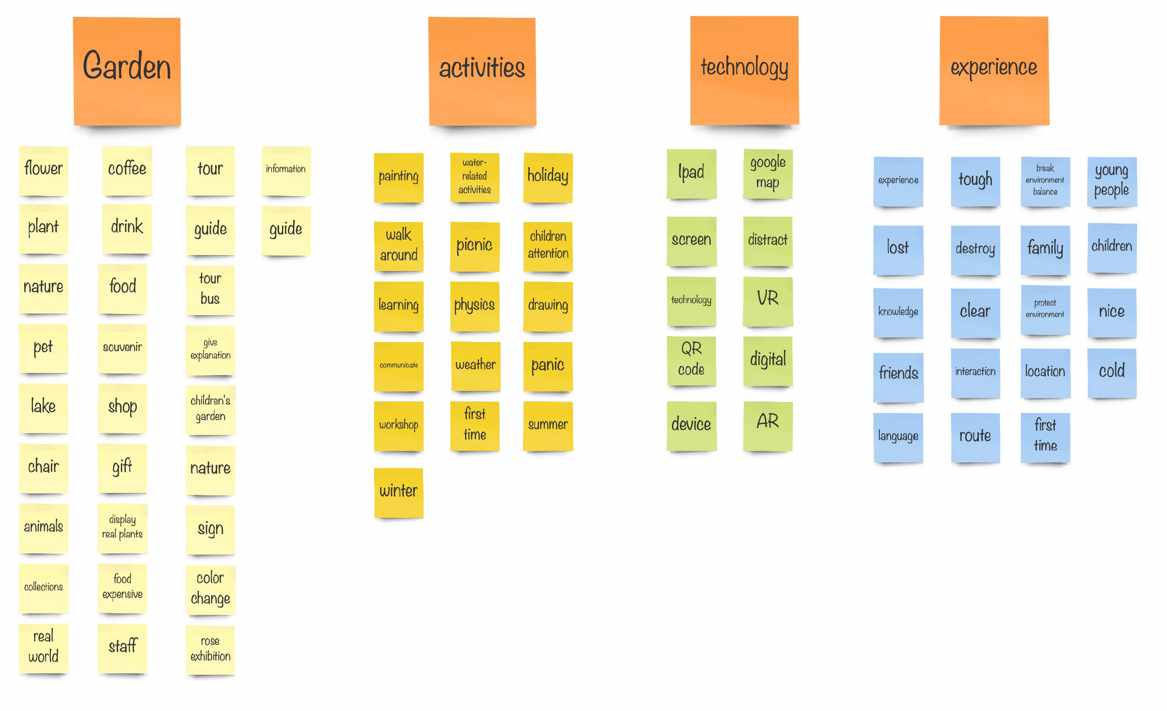
- 02User research & Analysis
- 03Persona
- 04Scenario
- 05Journey Map
- 06Wireflow
- 07UI Analysis
- 08Moodboard
- 09UI Design & Prototyping
- 10Usability Testing
- 11Unity3D Development
Resources & tools
- Miro for Brain Storming and User Analysis
- Sketch for Design User Interface
- Unity3D to develop an App with AR Prototype
Team members
Ting Chieh Lin — Design & Develop
02
Research
Who visits, what gets in their way, and whether technology could help.
Hypothesis
Visitors do exercise and walk into a famous royal botanic garden in Melbourne. They discover a variety of plants and are willing to learn by activities and workshops. However, they got lost and look for help to leave from the royal botanic garden.
Design intention · Starting belief
“I believe that developing an app with cutting-edge technology might assist visitors to resolve problems and improve more engagement and fun.”
Survey
What I got 8 people responses is most visitors went to the Royal botanic garden have 3 problems. They find it hard to find ways to arrive at their destinations.
Moreover, there are too many types of plants and people do not know how to call it.
Furthermore, they suggest whether they are able to participate workshops with their family and friends.
Research data · Survey result · 8 respondents
- 85%
- visitors said that they usually go with family or friends.
- 75%
- people mentioned that they do not know what the plant is.
- 60%
- find it hard to find correct location and have to ask someone or use Google Map.
- 70%
- visitors are willing to try AR technology in order to resolve learning and develop more interactions. However, some people dislike AR distracts attention from their children.
03
Synthesis
Turning findings into a person, a story and a journey.
Scenario
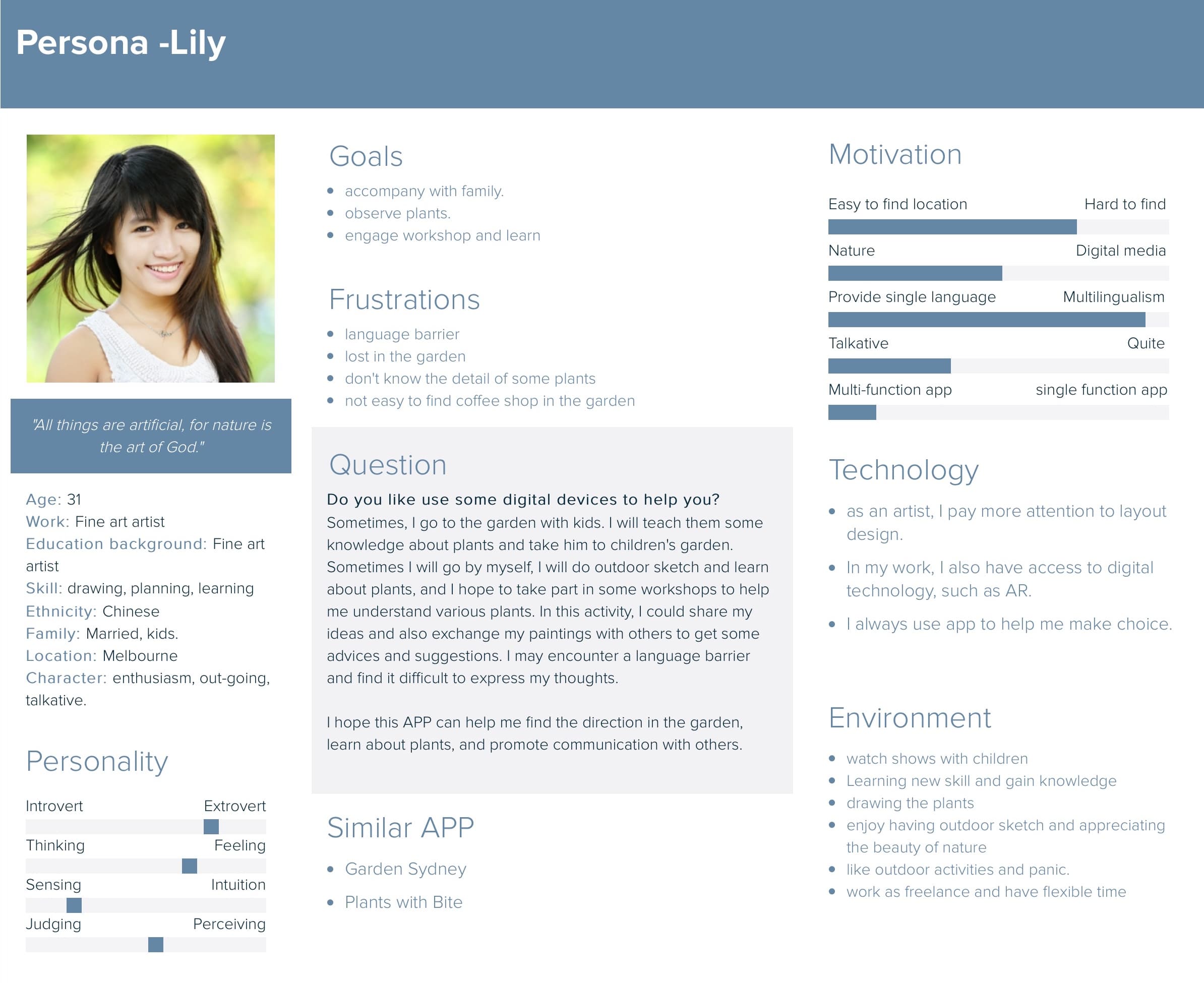
Lily is a young adult who likes to plant new plants so she usually goes to the Royal Botanic Gardens to learn how to plant better and participate in many workshops. She also likes to see fine art in the public space. However, she is from Japan and finds it difficult to understand the description of the specific plant in the class. Lily also hopes that she is able to make friends who have similar interests by activities.
Persona
Based on the user research, most people could accept technology to help learning and spend time with their family or friends.
Journey map
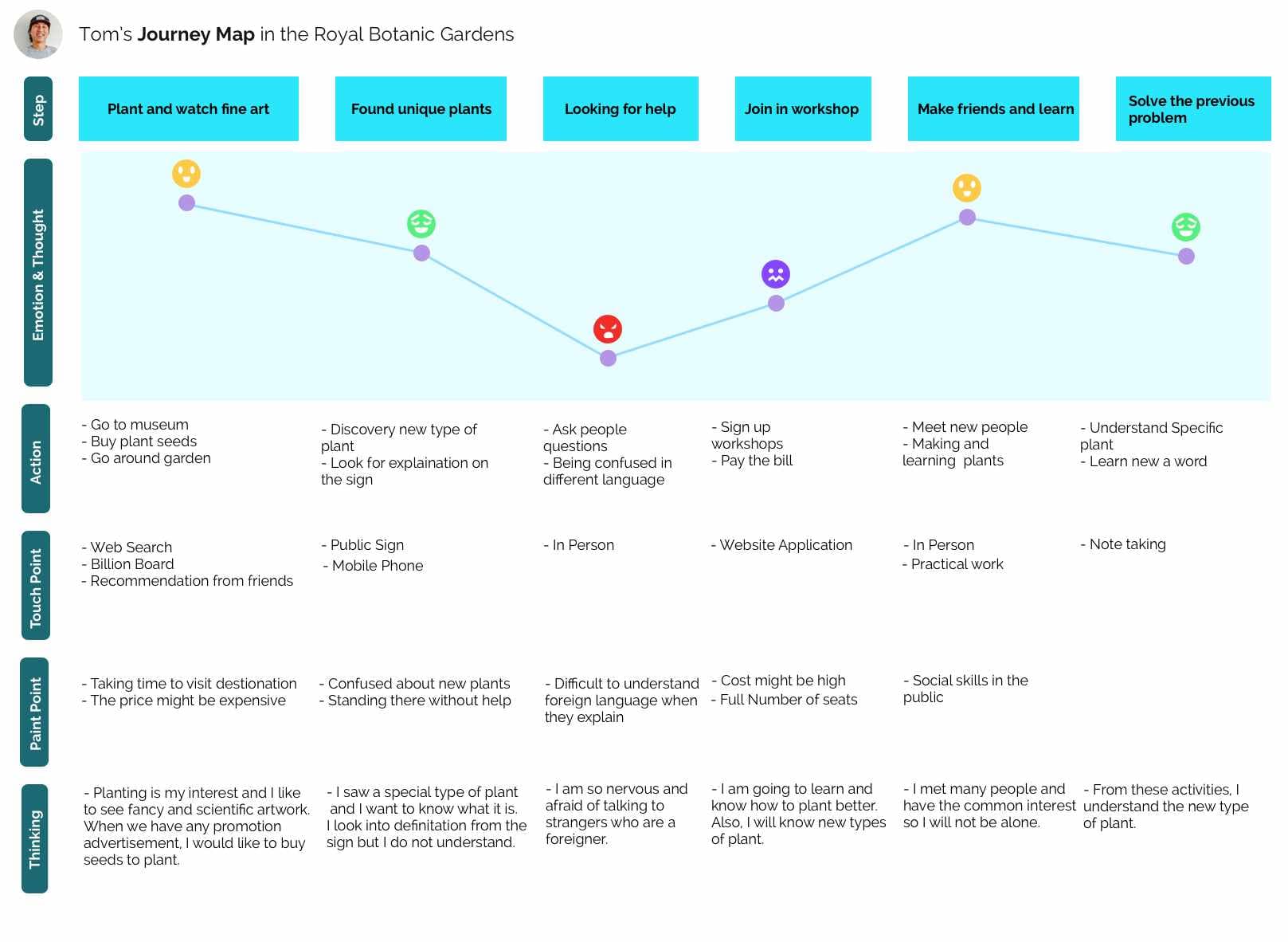
According to my storyboard, I made a journey map in order to see how Tom feels when he used my app. From the process, a number of points I aim to develop crucial functions:
Design intention · How might we
- How might we use AR technology to help visitors learn effectively?
- How might we collect beneficial information for users to find workshops and activities easily?
- How might we enable people to spend a lot of time doing activities with family or friends in the Royal Botanic Garden?
04
Design Exploration
Mapping the flow, learning from the official app, and choosing a direction.
Wireflow
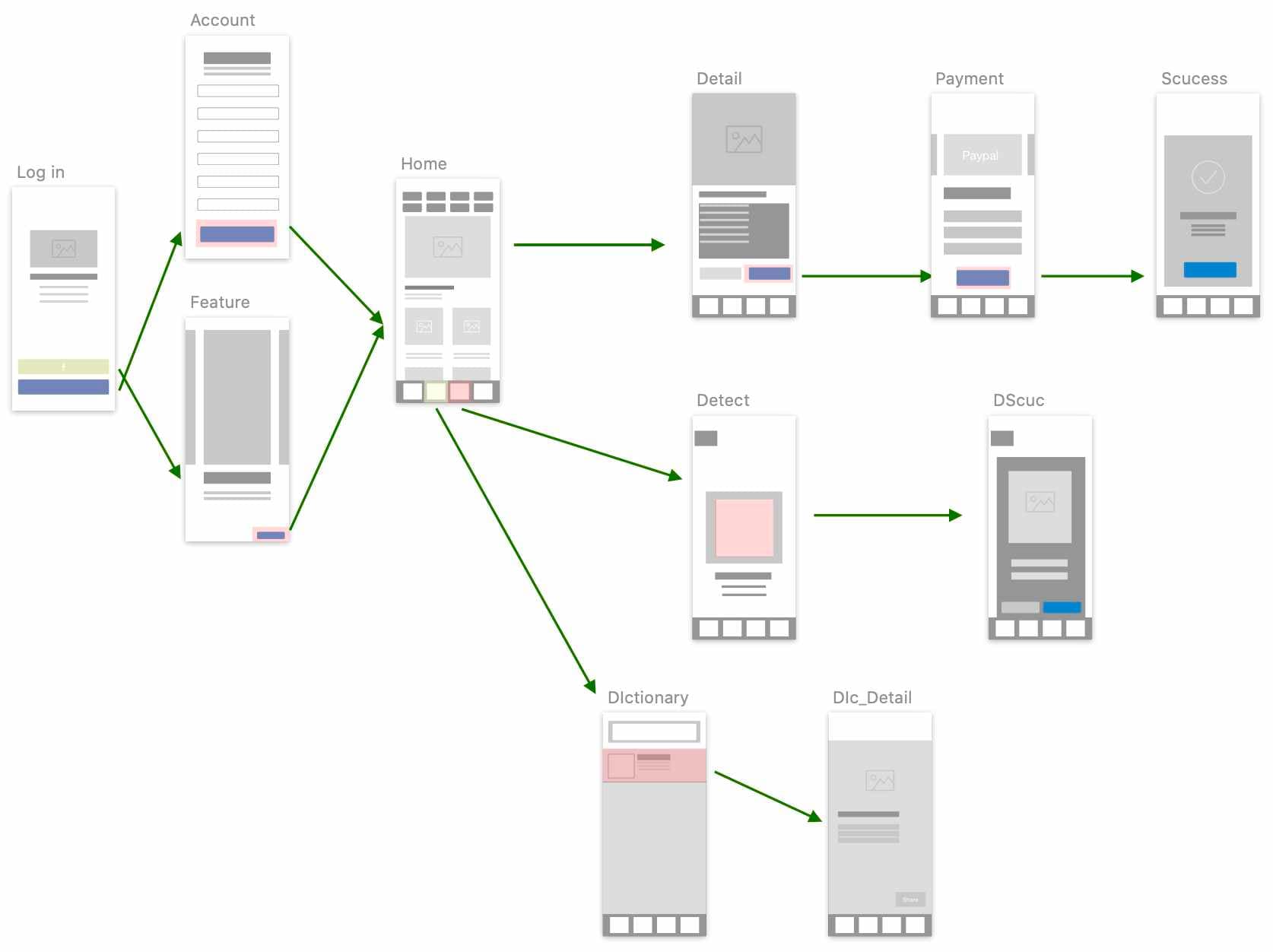
I created a user flow diagram to make this app through a number of process.
“As a user, I want to utilise AR technology to understand what I discovered the plant.”
UI analysis
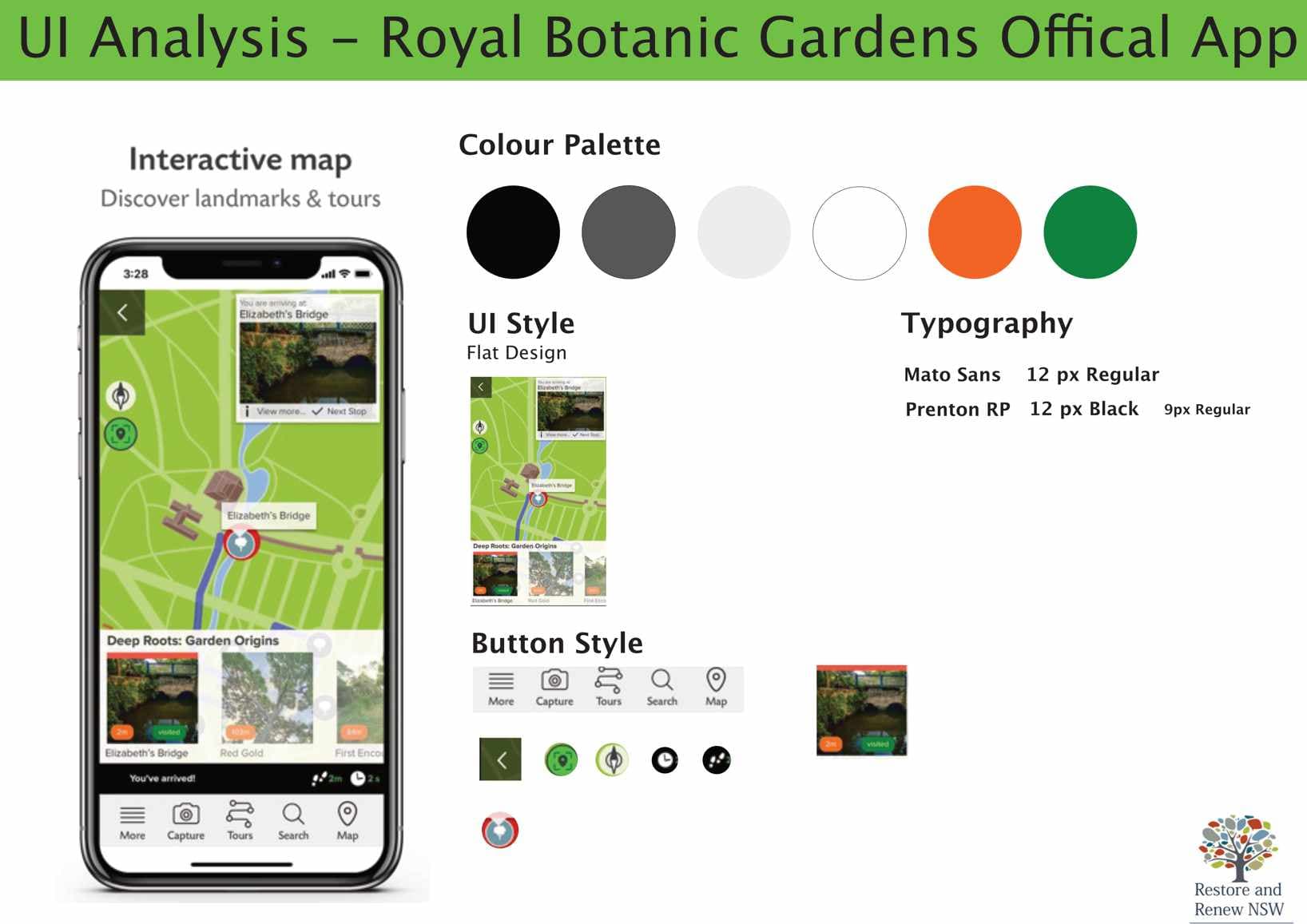
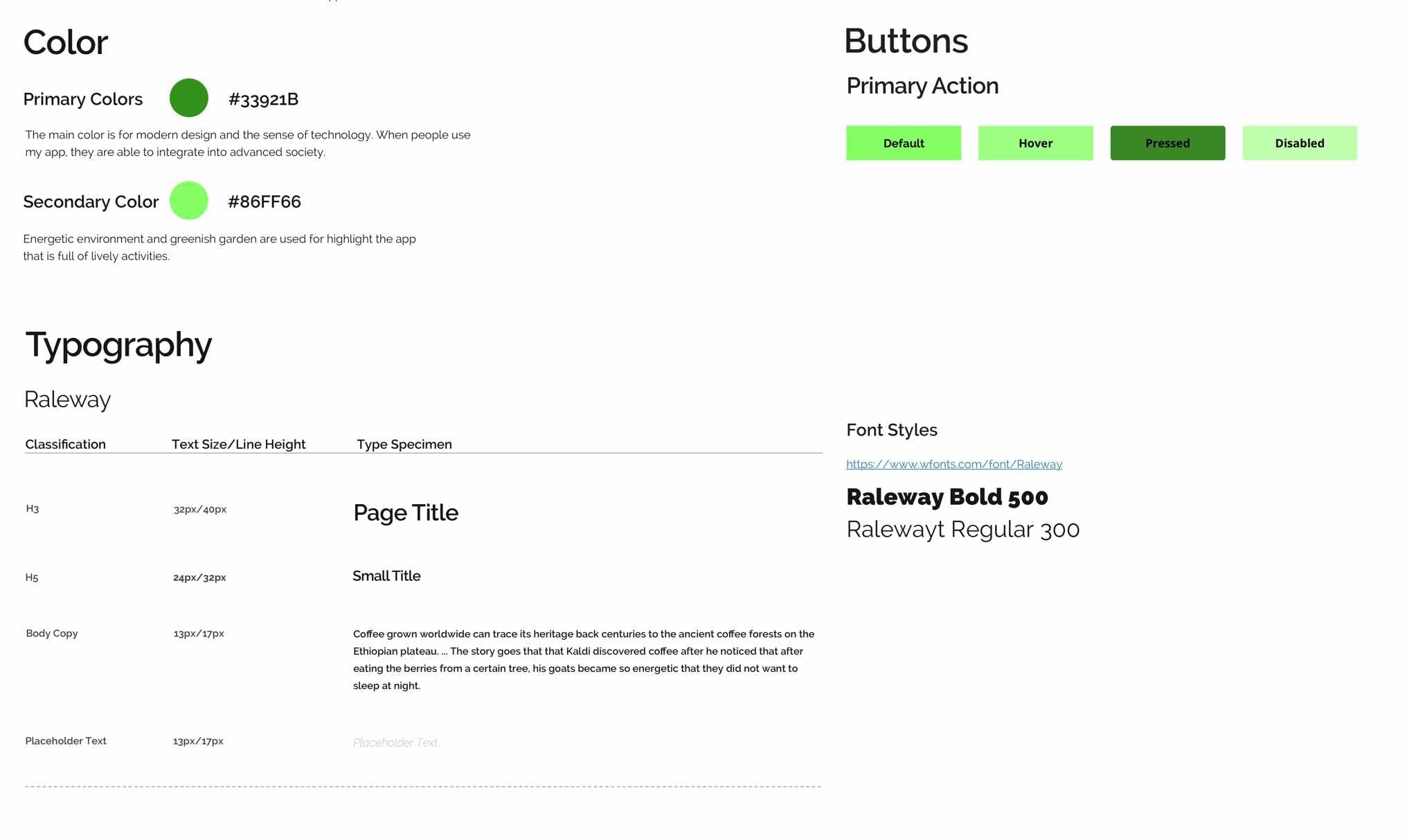
In order to design better App, I analyse offical app related to their color and UI style even button.
I chose their green color as my primary color and fresh experience with minimal design.
IoT design
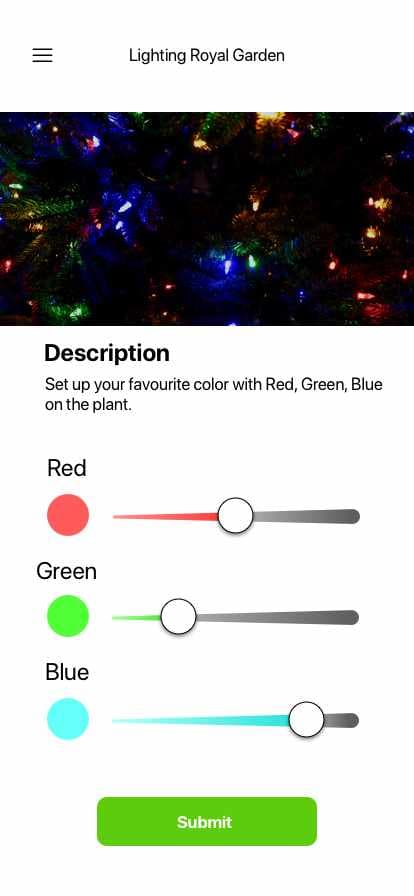
From my interviews, I found that people feel bored when they are walking so I decided to add a feature which is for visitors who are able to adjust colour when people want to have different look on the plant in the Royal Botanic Garden. This will be interesting for them to try on the events.
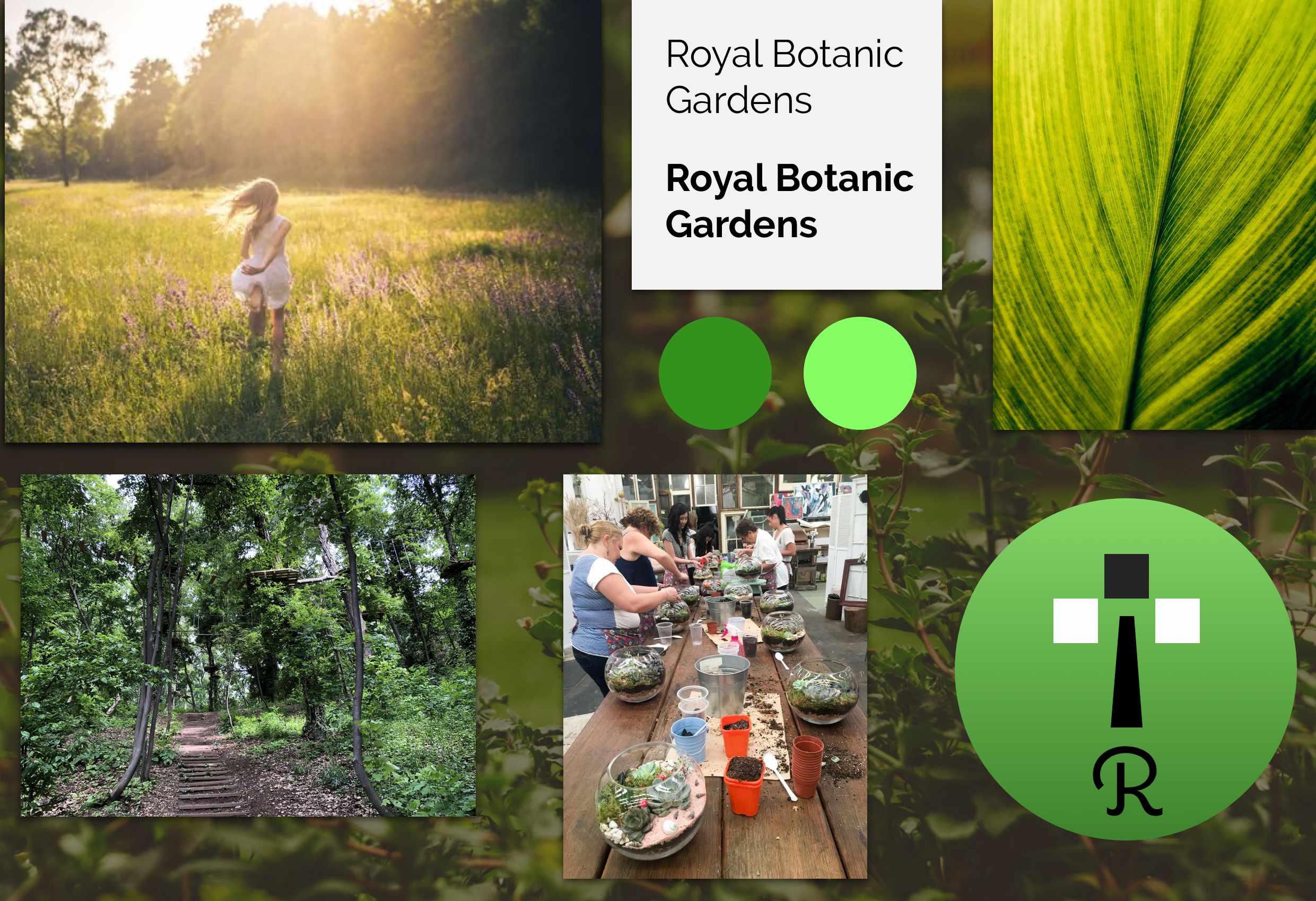
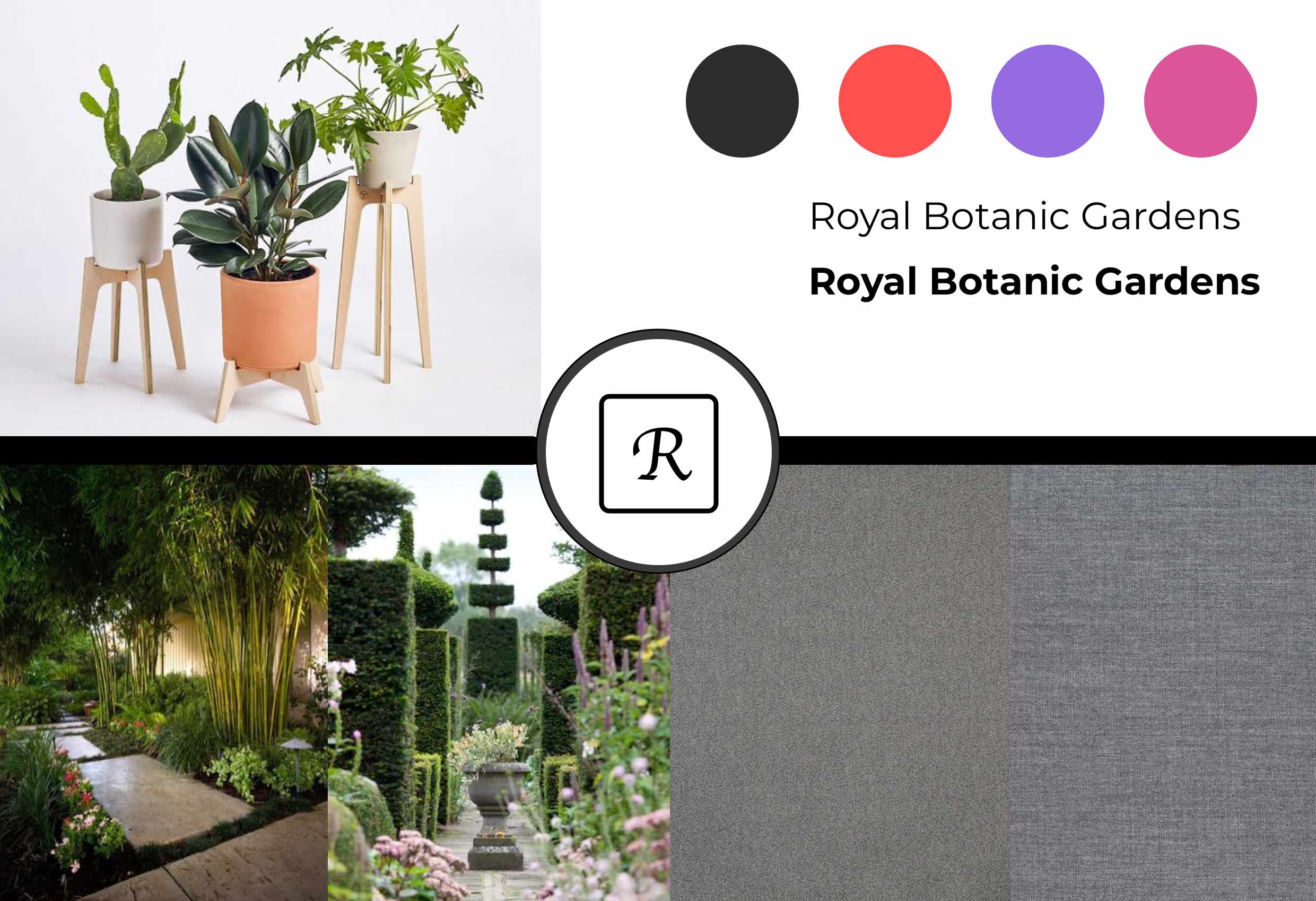
Two visual directions
Moodboard 1Chosen
When I went to the Royal Botanic Garden, I feel evergreen place. People do not feel tired and forests make you smooth without any obstructions. Finally, I decided to choose MoodBoard-1 is because the Royal Botanic Garden has established friendly environment for family and friends so the place should not include luxurious color in the garden.
Moodboard 2
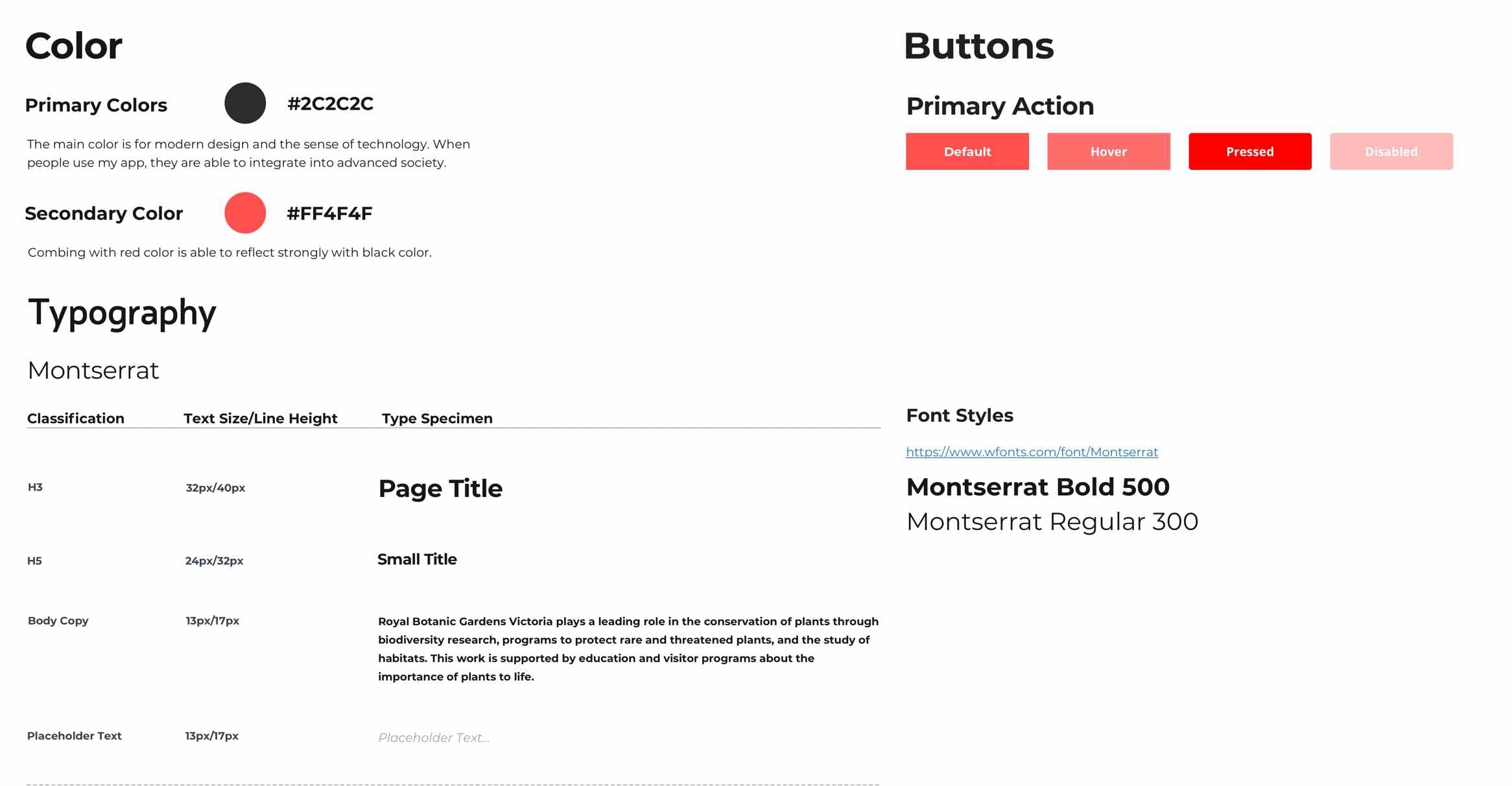
Noble color which are red and purple around environment makes people live in heaven.
05
Prototype & Testing
One direction, built out and put in front of a user.
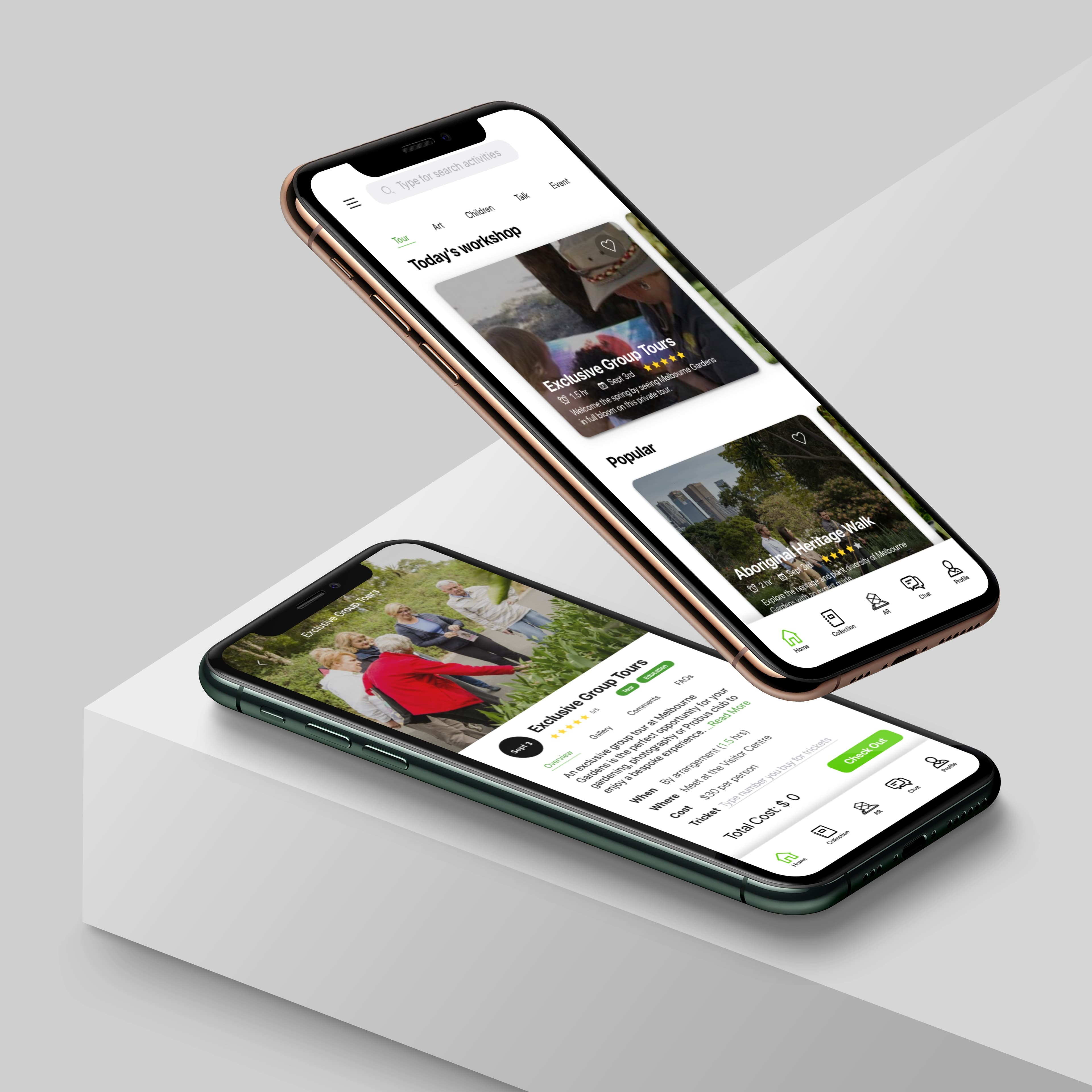
Final prototype
When I designed all of design documents, I chose one design style and develop. This is to show how users enter the app and interact with it in order to achieve their purposes.
Design solutions
- Collection of the Royal Botanic Garden information facilitates registration events and engagement
- The dictionary function enables plant lovers to learn effectively
- AR technology helps people learn and identify what plants are
Prototype walkthrough
User test
I asked a user to utilise my app. When I asked him tasks that I created, I observed his behaviour and feeling so I am able to design better user process.
Observation · 1 tester
Design challenge & feedback
- The tester does not know how to go back the last page
- AR learning technology makes users impression
- Spending too much time looking for specific page
06
Outcome & Reflection
What I'd do differently, what the test showed, and where the app could go.
Reflection · User research & test
I did not do interview effectively so I could not look for users’ needs. In the user test video, I could not let the user speak loudly about what they feel and perspectives when they spend too much time and hesitate to make decisions.
Observation · Visual design
Most problems on my application is recognition because some people are confused about icon and text description. Others spend too much time looking for their purposes. I think if I change layout and icon, this might be beneficial for users to read.
Reflection · Technical function
Moreover, AR originally is designed for detection and 3D model. However, the lack of interactions so I decided to add visual effects and scroll-bar to change size. As a result, users are able to know this is interactive rather than touching the screen many times.
Reflection · Next plan
I will involve Royal Botanic Gardens’s events and educational tours. I believe the app is beneficial for engagements and playful experience for people to learn and relax. Moreover, using AR technology assists foreigners to understand what they can visit and introduce Australian culture.